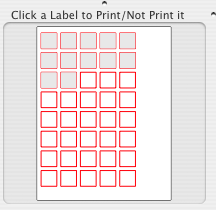
Selecting Print from the File menu or from the toolbar prints your document. To specify the labels to be printed, make the selection from the page preview on the left bottom of the CD/DVD Label Maker for Mac window. Clicking on a label makes it gray, which means that it's excluded from the printing. One more clicking on the same label makes it printable again.
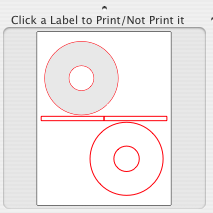
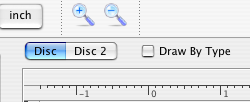
To print 2 different labels one sheet at one time, Just uncheck the Draw By Type check box. which separates labels of one type when unchecked.
Custom formats add more flexibility. Clicking on a label with the Command key pressed, makes this label first in the printing order, disabling all the previous ones on that page
Print dialog contains the custom CD/DVD Label Maker for Mac panel. Horizontal and Vertical calibration allows shifting of the labels being printed by these values. Measurement units for them are taken from the current setting displayed on the CD/DVD Label Maker for Mac tools panel
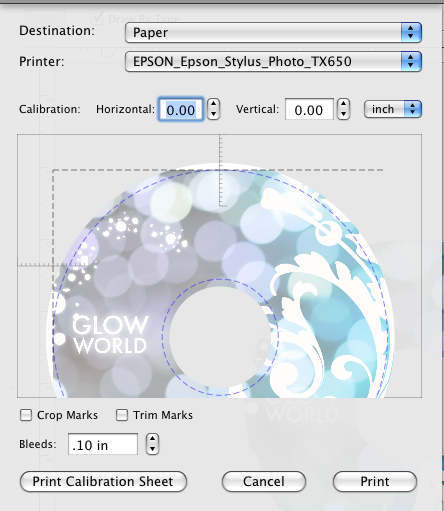
Selecting Epson Direct to Disk from the Destination popup menu allows Direct to Disk printing on Epson printers.
Bleed is a printing term that refers to printing that goes beyond the edge of the sheet after trimming. The bleed is the part on the side of your document that gives the printer that small amount of space to move around paper and design inconsistencies.
Bleeds in the USA generally are 1/8 of an inch from where the cut is to be made. Bleeds in the UK and Europe generally are 2 to 5mm from where the cut is to be made. This can vary from print company to print company. Some printers ask for specific sizes; most of these companies place the specific demands on their website.
Crop marks placed at the corners of a form to indicate where the label edges are.
The Trim Marks are based on an imaginary region drawn around the area of your label.